
vite

The easiest e‑invoice.
Your e‑postman mailbox. Received and sent invoices on one platform.

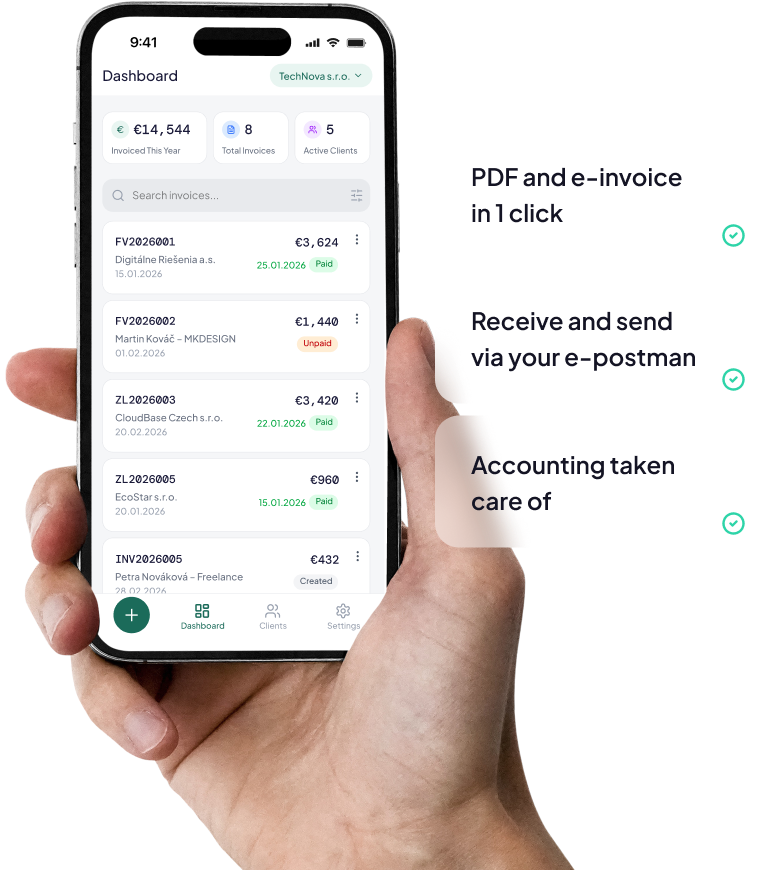
Simple invoice creation, receiving, and sending via your e‑postman. PDF invoices and accounting-ready documents in one place.
How It Works

Fill in your invoice easily

Fill in or copy an invoice, proforma invoice, tax document for received payment, or corrective document. Our system will help you.
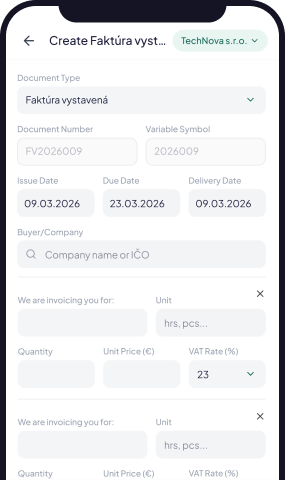
Invoice details form in the Doclaris mobile app

The system prepares the e‑invoice

Your data is automatically processed into the correct format.
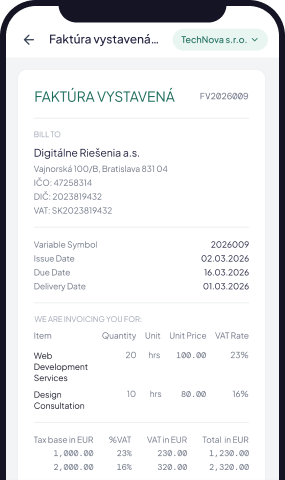
Prepared e-invoice in the Doclaris mobile app

Send it in seconds

Send it as an e‑invoice, download it as a PDF, and keep everything ready for accounting.
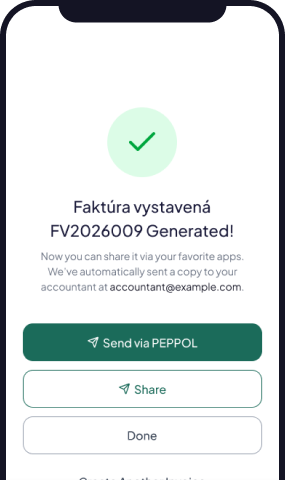
E-invoice sent from the Doclaris mobile app

Connected documents from advance invoice to final invoice

Advance invoice, tax document, deduction and final invoice all follow each other in one clear flow.

Advance invoices

Tax documents

Invoices

Corrective documents/
Credit note and debit note

Cancellation

Send them your way

Via Peppol

As PDF by Email

Certified Electronic Delivery

Simple, Transparent Pricing

Invoices done right. Doclaris makes it light.

Doclaris Free

For freelancers and small businesses

€0

What do you get?

  • 5 sent documents per month
  • Receive electronic invoices without limits
  • Basic PDF export
  • Easy e-invoice creation

Price excludes VAT

Recommended

Doclaris Plus

For businesses and accountants

€9.90

/month

What do you get?

  • 50 sent documents per month
  • Each additional document: €0.18
  • Receive electronic invoices without limits
  • PDF and XML export
  • Customer support

Price excludes VAT

square-menu

What counts as a document?

Every finalized document created in Doclaris, regardless of how you send it, plus every document you receive in the e‑Postman Inbox.

clock

Monthly limit

The limit is shared across all your companies under one account and renews every calendar month. Drafts are not counted.

Ready for the new era of e‑invoicing in the EU. Your e‑postman mailbox for received and sent invoices.

Create PDF and e‑invoices, receive and send them in one place, and keep everything ready for accounting.
Peppol and BIS3 integrations for electronic invoicing in the EU

Frequently Asked Questions

Is Doclaris compliant with EU regulations?

Absolutely. Doclaris is your mailbox within the international Peppol network. You may have already heard that you will need to choose a so-called digital postman (Peppol Access Point provider).

What is Peppol?

Peppol (originally Pan-European Public Procurement OnLine) is an international network and a set of standards for the secure exchange of electronic business documents—primarily electronic invoices, but also purchase orders, delivery notes, and credit notes. It was established as an initiative of the European Union and is now used in more than one hundred countries.

Instead of sending a PDF invoice by email, a structured electronic invoice (for example, in UBL XML format) is transmitted through a Peppol Access Point. The recipient’s system processes the invoice automatically without the need for manual data entry.

Peppol is not an application or a portal. It is a standardized network that you connect to through a provider (Access Point).

Do I have to start paying immediately after registering?

No, you don’t. As soon as you register, you’ll receive 30 days to try Doclaris for free, with no obligation. During this period, you’ll have plenty of time to explore all the features and decide whether you’d like to continue using our service.

How can I change my plan?

You can easily change your plan under Settings → Manage Settings → Plan. Simply choose Doclaris Free or Doclaris Plus and confirm the change. Before completing the process, you’ll see a summary of your selected plan so you can review everything.

Can my accountant access my data?

Yes. You can easily share the information your accountant needs by exporting your invoices in PDF or XML format. Direct accountant access to the Doclaris application is currently in development.

What happens to my data if I cancel my subscription?

Your data remains safely stored in your account, and you’ll continue to have access to it. You can view and export your existing invoices, but you won’t be able to create new documents or edit existing ones. Your data will remain available even after your subscription ends.

How do I set up my bank account in Doclaris?

You can add your bank account under Settings → Manage Settings → Bank Accounts. Enter your bank name, currency, account number, bank code, and IBAN/SWIFT. These details are used to generate the payment QR code on your invoices, so we recommend reviewing them carefully before saving to ensure payments are sent to the correct account.

Can I personalize my invoice?

Yes, you can upload your own logo to your invoice.

Stop Spending Your Evenings on Paperwork

Built for small business owners and freelancers who value their time